
Emergency Call Buttons for Seniors: A Comprehensive 2026 Guide to Safety and Independence
- healthyseventy3
- 8 minutes ago
- 13 min read
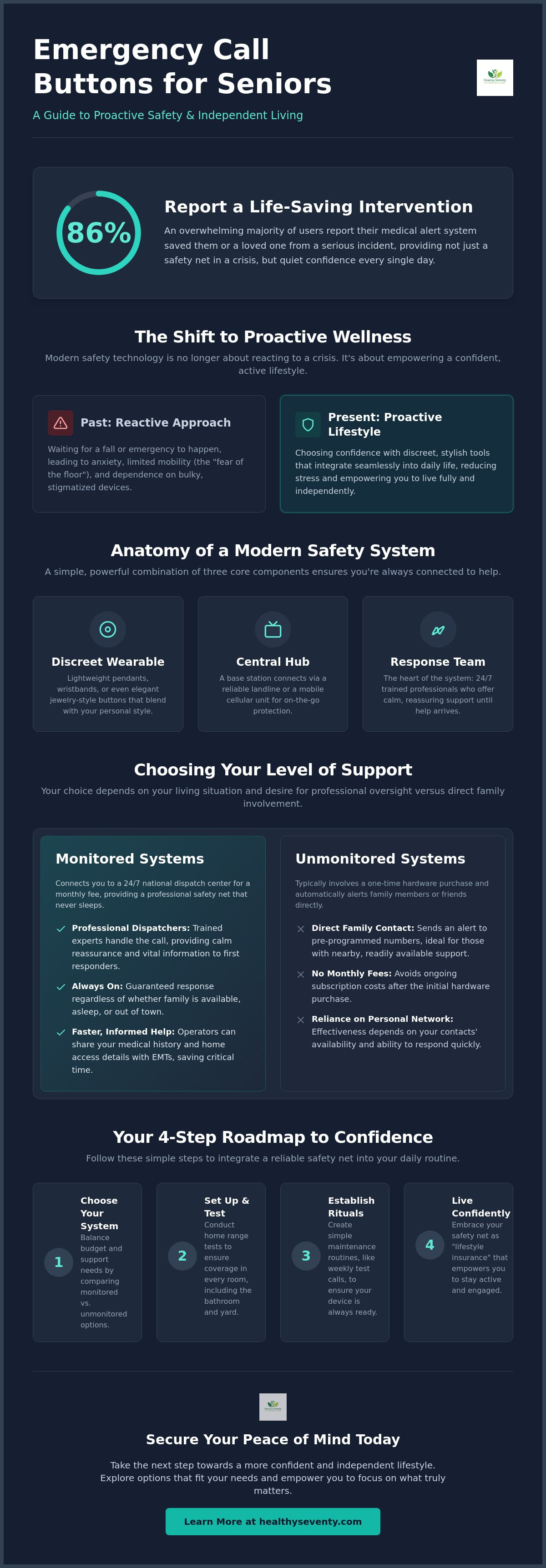
Did you know that 86% of people who use medical alert systems report that their device saved them or a loved one from a serious incident? While that statistic is powerful, the real value of emergency call buttons for seniors isn't just found in a crisis; it's found in the quiet confidence you feel every single morning. It's natural to worry about being unable to reach a phone during a fall or feeling overwhelmed by complex technology that requires constant charging. You deserve a solution that supports your vitality rather than reminding you of your vulnerabilities.
We're here to help you navigate these choices with clarity and ease. This guide provides a clear path to choosing, setting up, and effectively using the right safety tools to ensure 24/7 protection while maintaining your independent lifestyle. We'll compare the latest 2026 wearable trends, demystify the costs of monitored versus unmonitored plans, and provide actionable steps to integrate a reliable safety net into your daily routine. By the end, you'll have the knowledge to secure your peace of mind and the empowerment to focus on what truly matters: living your life to the fullest.
Table of Contents
Understanding Emergency Call Buttons: A Lifeline for Modern Independence
Monitored vs. Unmonitored Systems: Choosing the Right Level of Support
Addressing the Button Stigma: Why Safety is the Ultimate Form of Vitality
A Practical Roadmap: Setting Up and Using Your Device Effectively
Curating Your Safety: Why a Landline Personal Emergency Alert Device is a Timeless Choice
Understanding Emergency Call Buttons: A Lifeline for Modern Independence
For decades, the image of a medical alert device was tied to a crisis already in progress. Today, however, Medical alarm systems have evolved into sophisticated tools for proactive wellness. Often referred to as a Personal Emergency Response System (PERS), these devices act as a digital bridge between your sanctuary at home and the professional care you might occasionally need. By choosing emergency call buttons for seniors before an incident occurs, you're not just preparing for a "what if" scenario; you're actively choosing a lifestyle of confidence.
The mechanism is elegantly simple. It consists of a small, wearable transmitter and a central hub. When you press the button, a signal travels to the hub, which then connects you to a trained response team. In the 2026 landscape, these devices have moved beyond the bulky plastic of the past. They're now designed to blend seamlessly with your personal style, offering a sense of security that feels like a natural extension of your daily routine. This shift from reactive to proactive safety helps eliminate the "fear of the floor," a common anxiety that can unintentionally limit your daily mobility and vitality.
The Components of a Modern Alert System
Modern systems are curated to fit your specific environment. The wearable component has seen a significant transformation; you can now choose between traditional pendants, discreet wristbands, or even elegant jewelry-style buttons that look like high-end accessories. These connect to a hub, which is either a landline base station for those who prefer staying close to home or a mobile cellular unit for the adventurous. Finally, the response team is the heartbeat of the system. These are trained professionals who stay on the line with you, offering a calm and reassuring presence until help arrives.
Why 70+ is the Optimal Time for Implementation
Adopting a "safety first" mindset in your early seventies is a powerful act of self-care. Waiting for a first fall is a common mistake that can lead to a loss of confidence. When you integrate these buttons with other mobility aids for seniors, you create a comprehensive wellness environment. Beyond physical safety, there's a profound biological benefit. Living with the constant, underlying stress of "what if I fall?" keeps cortisol levels high, which can impact brain health and sleep quality. A reliable safety net quietens that background noise, allowing your mind to focus on growth and connection rather than worry. Using emergency call buttons for seniors ensures that your focus remains on your legacy and the vibrant life you've built.
Monitored vs. Unmonitored Systems: Choosing the Right Level of Support
Decisions regarding personal safety often come down to the specific type of response you need during a moment of vulnerability. Monitored systems connect you to a 24/7 national dispatch center, while unmonitored systems typically alert a local pager or a family member's smartphone. Each path offers distinct advantages. Choosing the right one depends on your living situation and your desire for professional oversight versus direct family involvement.
Monitored emergency call buttons for seniors operate on a subscription basis. While this involves a monthly fee, it provides a level of security that unmonitored hardware cannot match on its own. These systems ensure that a trained operator is always listening, regardless of whether your family members are asleep, at work, or away at the store. For those who value a consistent safety net that never "clocks out," this is often the most empowering choice.
The Professional Monitoring Advantage
The primary benefit of a monitored system is the expertise of the professional dispatcher. These experts have your medical history and home access codes on file, allowing them to brief EMTs with vital data before they even arrive at your door. This speed and precision are central to modern medical alert systems for seniors. For individuals living alone, this "gold standard" of care provides a profound sense of security, ensuring that help is never more than a single press away.
Direct-to-Family and DIY Pagers
If you live in a multi-generational household, a caregiver pager might be a suitable alternative. These wireless units typically function within a range of 500 to 1,000 feet, sending an alert directly to a handheld receiver carried by a loved one. They represent a one-time hardware purchase without ongoing fees. However, it's vital to recognize their limitations. A local pager won't help if your caregiver is out running errands or working in the garden beyond the device's range. Nighttime monitoring can also be a challenge if the caregiver is a heavy sleeper.
Some modern unmonitored options utilize "Smart" buttons that send push notifications to a smartphone app. This bridges the gap between local pagers and national centers by allowing family members to receive alerts anywhere they have a cellular signal. If you spend most of your time at home and prefer a high-reliability connection without the complexity of mobile apps, exploring a quality landline alert system can provide the steady, dependable solution you deserve. Using emergency call buttons for seniors that fit your specific lifestyle ensures that your safety net is as vibrant and active as you are.
Addressing the Button Stigma: Why Safety is the Ultimate Form of Vitality
There is a persistent misconception that adopting safety technology is a quiet admission of "giving up" one's independence. In reality, the opposite is true. Choosing to wear one of the modern emergency call buttons for seniors is an act of empowerment. It is "lifestyle insurance" that provides the confidence to continue living an adventurous, active life. Just as a seasoned hiker carries a GPS or a driver wears a seatbelt, a safety button is a tool that allows you to push boundaries safely rather than retreating from them.
By 2026, the design of these devices has undergone a radical transformation. The bulky, clinical plastic of the past has been replaced by sleek, fashion-forward options. Many of today's devices blend seamlessly with high-end jewelry or athletic wear, ensuring that your safety net is invisible to the world but always present for you. This aesthetic shift helps remove the social friction of wearing an alert device. When you feel good about what you're wearing, you're more likely to keep it on, ensuring you're protected during the activities that keep you vibrant, such as gardening, light exercise, or social outings.
Psychologically, the presence of a "silent guardian" can actually increase your physical activity levels. Many seniors find that the underlying fear of a fall can lead to a self-imposed "activity tax" where they avoid certain movements or rooms in their home. Knowing that professional help is a single touch away eliminates this mental barrier. It encourages you to maintain your mobility, which is the single most important factor in long-term health and independence.
Empowerment Over Embarrassment
Safety vitality is the intersection of proactive preparedness and the commitment to active aging. When discussing the need for emergency call buttons for seniors with a reluctant loved one, it's helpful to use empathetic, outcome-focused language. Instead of focusing on what they "can't" do, focus on what the device allows them to keep doing. Frame it as a way to protect their legacy and provide peace of mind to the entire family. This shift in dialogue transforms the device from a symbol of aging into a badge of wisdom and vitality.
The Role of Fall Detection Technology
Modern safety buttons often include advanced fall detection technology. This system uses sophisticated AI and accelerometers to identify the specific signature of a "hard fall." It's designed to trigger an alert even if you're unable to press the button yourself. This feature is particularly critical for individuals with a history of syncope, balance issues, or those who may experience temporary disorientation. While no technology is 100% perfect, 2026 models allow for curated sensitivity settings. This customization helps balance the need for high-level protection with the desire to avoid "false alarm" anxiety, ensuring your safety net remains a source of calm rather than a cause of stress.
A Practical Roadmap: Setting Up and Using Your Device Effectively
Once you've chosen your safety companion, the next step is ensuring it's integrated perfectly into your home and lifestyle. It isn't enough to simply own the device; it must be a reliable, active part of your wellness routine. Following a methodical setup process ensures that your emergency call buttons for seniors are ready to act as a lifeline the moment they're needed. Think of this setup as a one-time investment in your long-term peace of mind.
Step 1: Conduct a "Home Range Test." Walk into every room, including the laundry area, the garage, and the garden. Press the test button to verify that the signal reaches the base station or cellular link from every corner of your property.
Step 2: Establish a "Charging Ritual." If you use a mobile unit, anchor its charging to a daily habit, such as placing it on the dock while you enjoy your morning coffee. For landline pendants, schedule a "Battery Check" on the first day of every month.
Step 3: Update your Medical Profile. Contact the monitoring center to ensure they have your current list of medications, allergies, and preferred hospital. Don't forget to provide your lockbox or hidden key codes so responders can enter without damaging your door.
Step 4: Perform a monthly "Test Call." This keeps the speaker and microphone clear and ensures you remain comfortable with the sound of the operator's voice.
Step 5: Educate your family. Walk your loved ones through the process so they know exactly what happens when the alert is triggered and how they will be notified.
Optimizing Placement for Maximum Safety
Strategic placement is just as important as the device itself. The bathroom is the most critical area for backup protection; consider placing wall-mounted buttons near the shower or toilet, low enough to reach from the floor. We also recommend the "Nightstand Protocol," which ensures your wearable or a secondary button is within easy reach during late-night trips to the kitchen or bathroom. To ensure emergency responders can enter your home quickly and safely, many seniors find that using a secure key safe is an essential addition to their emergency call buttons for seniors setup.
Maintenance and Troubleshooting in 2026
Modern devices are designed to be low-maintenance, but they aren't "set and forget." Most 2026 models feature subtle low-battery signals, such as a pulsing amber light or a gentle voice prompt; learn to identify these before the device goes offline. Keep your waterproof wearables hygienic by wiping them weekly with a gentle, alcohol-free cloth. This prevents soap scum or skin oils from interfering with sensitive fall detection sensors. If you ever press the button by mistake, don't worry. This is a "No-Stress Cancellation." Simply stay on the line and tell the operator you're okay; they often view these accidental presses as a successful system test. If you're looking for a reliable, low-maintenance option that connects directly to your home's infrastructure, consider a landline personal emergency alert device to anchor your safety plan.
Curating Your Safety: Why a Landline Personal Emergency Alert Device is a Timeless Choice
While modern smartwatches and GPS-enabled pendants dominate much of the tech conversation, the reliability of a landline-based system remains a foundational choice for many. If you spend the majority of your time enjoying the comfort and sanctuary of your home, landline emergency call buttons for seniors offer a level of stability that cellular networks simply can't always match. These systems use your home's existing hardwired infrastructure to create a dedicated, interference-free connection. This ensures that when you press your button, the two-way voice communication with the dispatch center is crystal clear, allowing you to be heard without the digital "drop-outs" sometimes associated with mobile signals.
One of the most significant advantages of this setup is the "Zero-Charging" benefit. Many mobile alert units require a daily charging ritual, which can become a source of anxiety if you forget to place the device on its dock. In contrast, landline-connected pendants typically feature long-lasting internal batteries that function for years without needing a single charge. This creates a "set and forget" safety net that is always ready, providing a seamless layer of protection that doesn't add another chore to your daily routine. Our curated Landline Personal Emergency Alert Device is designed specifically for this blend of effortless simplicity and professional-grade protection.
When to Choose Landline Over Cellular
Choosing between landline and cellular technology often comes down to your home's specific layout. If you live in a rural area or a home with thick stone walls and basement spaces, you may have noticed "dead zones" where your cell phone loses its signal. A landline system bypasses these coverage gaps entirely. There's also a clear cost advantage to consider; because they don't require expensive cellular data plans, landline systems often feature lower monthly monitoring fees. For the non-tech-savvy user, the "plug and play" installation is incredibly intuitive, making it easy to establish your safety zone in minutes without navigating complex digital menus.
Next Steps for Your Wellness Journey
Securing a reliable safety net is a major milestone, but it's only one part of a vibrant lifestyle. You can further enhance your daily vitality by integrating your alert system with other supportive tools, such as upright walkers, which help you maintain perfect posture while you move through your day. Taking the step to implement emergency call buttons for seniors is a profound gift of peace for yourself and your family. It validates your commitment to proactive living and ensures that your focus remains on your legacy and the activities you love most. We invite you to explore our curated Landline Personal Emergency Alert Device and reclaim your confidence today. Your journey toward a safer, more independent future starts with this single, empowered choice.
Embracing a Future of Fearless Independence
Your journey toward a vibrant lifestyle is built on the proactive choices you make today to protect your tomorrow. By reframing emergency call buttons for seniors as a form of lifestyle insurance, you unlock a new level of daily confidence that allows you to focus on growth rather than worry. We've explored how a methodical setup and choosing the right connection for your home layout can transform your environment into a true sanctuary. This isn't about a loss of autonomy; it's about securing the foundation you need to live your later years with absolute clarity and joy.
You deserve a safety net that is as reliable as it is simple to use. Our expert-vetted Landline Personal Emergency Alert Device is curated specifically for the unique needs of adults over 70, featuring empathetic 24/7 US-based monitoring support. This system ensures that professional help is always a single touch away, allowing you and your loved ones to breathe easier every single day. View Our Curated Landline Personal Emergency Alert Device and reclaim your peace of mind today. The most cherished chapters of your life are still being written, and we're honored to help you walk through them with confidence.
Frequently Asked Questions
How much do emergency call buttons for seniors typically cost per month?
Monthly costs depend largely on whether you choose a monitored or unmonitored system. Monitored services involve a recurring subscription fee to maintain access to a 24/7 professional dispatch center. These fees often increase if you add features like automatic fall detection or mobile GPS tracking. Unmonitored systems usually require a higher upfront equipment cost but don't carry ongoing monthly obligations. It's best to evaluate which payment structure aligns with your long-term wellness budget.
Are emergency buttons waterproof enough to be worn in the shower?
Most modern devices are designed with high water-resistance ratings specifically because the bathroom is a frequent site for slips and falls. You can typically wear your pendant or wristband while showering or bathing without worry. It's important to check the specific IP rating of your device to ensure it meets these standards. While they handle splashes and brief immersion well, they aren't generally intended for prolonged underwater activities like swimming in a deep pool.
What happens if I press the emergency button by mistake?
Accidental presses are a normal part of owning a safety device and are handled with a calm, no-stress response. When the operator answers, simply stay on the line and let them know you're okay. Dispatchers actually value these moments because they serve as a successful live test of your system's connection and audio quality. You'll never be penalized for a false alarm when you're proactive about communicating with the center.
Do I need a landline to use a medical alert button in 2026?
You don't necessarily need a landline to stay protected in the modern landscape. While landline systems are excellent for their reliability in areas with weak cellular reception, many emergency call buttons for seniors now utilize 4G LTE cellular networks. This allows the device to function independently of a physical phone jack. Choosing between the two depends on your home's construction and whether you prefer a "set and forget" landline connection or a mobile-ready cellular unit.
How far away from the base station will the emergency button work?
For in-home systems, the range typically spans between 600 and 1,300 feet from the central hub. This distance is usually more than enough to cover a standard house and a backyard garden. If you frequently spend time away from your property, a mobile cellular unit is a better fit. Those devices don't rely on a base station and will work anywhere a cellular signal is available, providing a much wider safety net for your active lifestyle.
Can an emergency button detect a fall automatically without me pressing it?
Many systems now offer automatic fall detection as a specialized feature. This technology uses internal sensors like accelerometers to identify the specific motion and impact of a hard fall. If the device detects such an event, it will automatically trigger a call for help. This is a vital safeguard if a fall causes a loss of consciousness or leaves you unable to reach the button. However, you should still press your button manually whenever you're able to do so.
Is there a contract required for most senior emergency call systems?
Most leading providers have moved toward flexible, month-to-month service agreements rather than restrictive long-term contracts. This shift empowers you to adjust your level of support as your needs evolve without worrying about steep cancellation fees. While some companies might offer a small discount for an annual commitment, the majority of modern users prefer the freedom of a monthly plan. Always confirm the cancellation policy before you begin your service to ensure it matches your expectations.
Will the emergency button work if I leave my house to go for a walk?
Your emergency call buttons for seniors will only work during a walk if you've selected a mobile-enabled unit with built-in GPS. Traditional landline systems are designed for use within the range of your home's base station. If your wellness routine involves neighborhood strolls or trips to the grocery store, a mobile device with cellular connectivity is essential. These units ensure that professional help is available whether you're in your living room or out enjoying the community.
Comments